AI can draft a script and produce a convincing voiceover. That can remove a large amount of writing and recording effort. A client may reasonably ask what remains for a production team to do. For a business video, the remaining work is whatever is needed to make the message accurate, relevant, understandable and properly connected to the visuals. Some briefs need only a light review; others need more development.
A generated script and voice can be a useful starting point
A draft can help a team explore a structure, compare openings and test how an explanation sounds. Generated speech can make those ideas easier to review before a final version is approved. In some straightforward projects, the first result may already be suitable.
The important check is whether the material answers the audience's question using correct business information. A fluent script can still describe an unavailable feature or give viewers an unclear next step. A natural voice can still pronounce the brand incorrectly.
Professional work should be scoped around those actual requirements. The presence of AI does not remove every production task, and it does not automatically create a need for an elaborate manual process either.
Start with verified information and one purpose
Give the writing process a reliable source of business facts: current product details, service inclusions, approved offers and the action viewers should take. Identify which statements need approval from someone in the company.
Then decide who the video is for. A first-time visitor may need a plain explanation of the problem and service. An existing customer may need a precise demonstration of a new feature. Those audiences require different levels of background information.
Ask the draft to serve one main purpose. Generic lines about innovation, quality and success can sound polished while saying very little. Replace them with an explanation the business can support and the intended viewer can use.
Write for speech and for the pictures
Written sentences do not always work well when spoken aloud. Long clauses, abbreviations and lists of features can make an otherwise accurate explanation difficult to follow. Read the script at a comfortable pace and revise sections that require repeated listening.
Plan what the viewer will see beside each line. If the voice explains how an appointment is confirmed, the visual should show that step rather than an unrelated office scene. Give demonstrations enough time to be understood.
A practical review document can contain a spoken line, the intended visual and any on-screen wording. It helps the business approve the message and scene together before the final narration is generated.
Pronunciation and delivery need to suit the audience
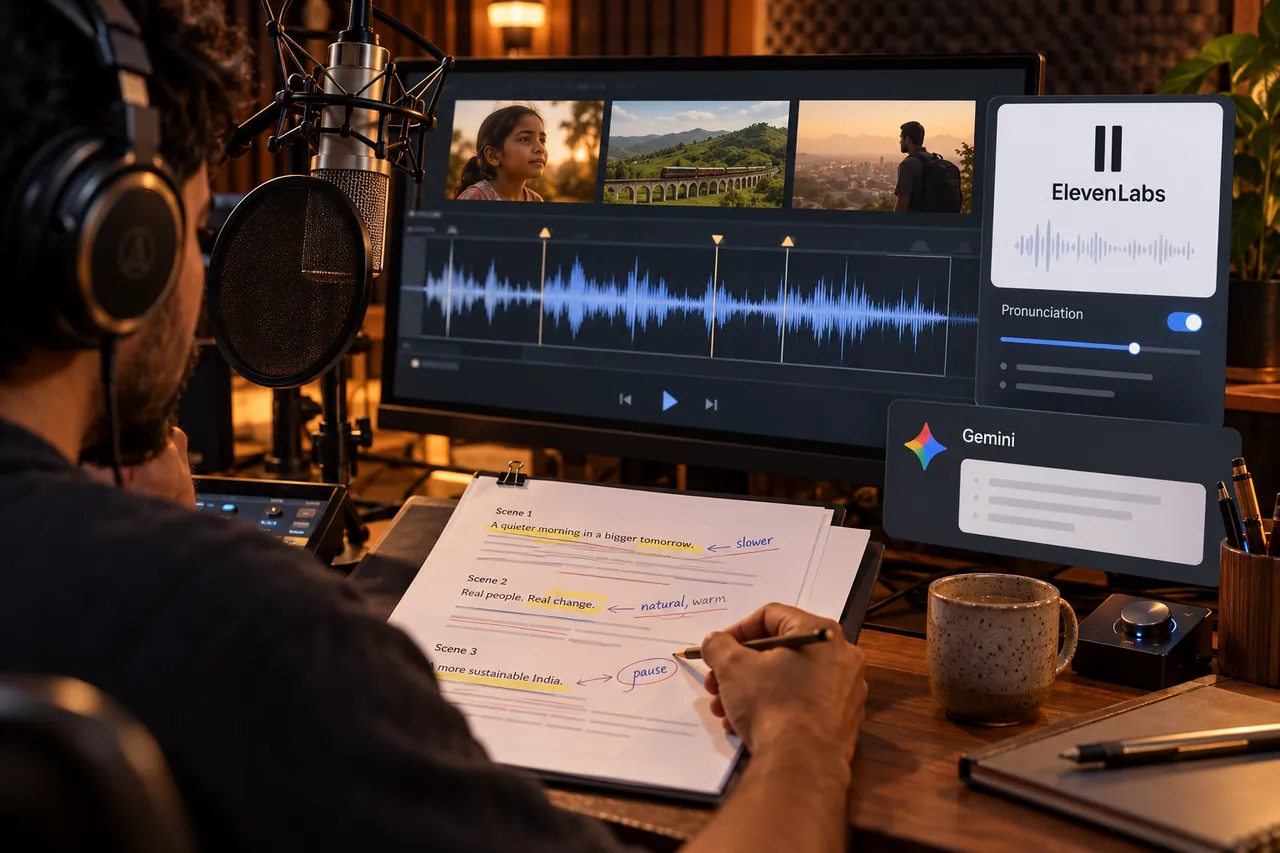
Names, product codes, addresses and mixed-language expressions deserve particular attention. Test them with the selected voice instead of assuming correct spelling guarantees the desired pronunciation. Check numbers as spoken information as well as written text.
ElevenLabs' text-to-speech guidance covers pronunciation, pauses and delivery controls, with behaviour that varies by model. Use the controls supported by the chosen workflow and listen to the result in context.
Tone matters too. An urgent delivery can feel unsuitable for a calm service explanation. An exaggerated performance can distract from factual instructions. The right choice is the one that helps the intended audience understand and trust the message.
An illustrative appointment-video example
Imagine a service business preparing a short video explaining how to book an appointment. This is an illustrative scenario, not a client performance claim. An AI draft says customers receive an instant confirmed time and can visit on any day.
The actual business manually confirms availability and closes on one weekday. A reviewer replaces those lines with the correct process. The voice test also reads a local name awkwardly, so its pronunciation is adjusted before the full narration is generated.
The editor then matches the narration to the real booking screens and leaves a short visual hold on the confirmation step. These changes do not make the process more complicated for its own sake. They prevent the published explanation from creating expectations the business cannot meet.
Connect the approved voice to the final sequence
Narration is part of the video timing. Changing a sentence can alter the length of a scene, the point at which a graphic appears and the timing of a caption. Review the spoken message and the picture together.
An editor can trim unnecessary gaps, balance music under speech and adjust the sequence so important information is not rushed. Captions should follow the approved wording and avoid covering a product detail or a demonstration control.
The final pass should include normal-speed playback. A script that looks correct on a page may still feel repetitive, too fast or disconnected from the screen. Listen through the entire video instead of approving only isolated voice samples.
Set review checkpoints before repeated generation
Approve the core facts and message before requesting many voice variations. Then test a short representative passage containing the hardest names, numbers and terms. This can expose a problem before it appears throughout a longer narration.
Keep a record of the approved wording and voice direction. Consolidate feedback so one person does not request a calm delivery while another asks for a more urgent reading of the same passage.
Separate a correction from a new requirement when discussing revisions. Replacing an incorrect company name and changing the whole campaign message affect the production differently. A clear scope makes that conversation more useful than counting how many times someone clicked Generate.
Digital Country's recommendation
Treat the script, voice and visuals as one communication task. Use AI to accelerate drafting and testing, then review the details that matter to the audience and business. For avatar-led narration, HeyGen's script guidance also describes ways to adjust spoken flow and pronunciation.
Explore our advertising video editing services if the message needs to work within a campaign. For the wider finishing process, read what a professional editor adds to AI editing. Supply verified facts and sample pronunciations early so the production can focus on the right decisions.
Frequently asked questions
Can I publish an AI script without rewriting it?
Yes, if it accurately meets the brief and passes your review. Rewriting is useful when something needs improvement, not as a compulsory step to make an automated result seem more valuable.
Why does a correct word sound wrong in an AI voice?
Pronunciation can vary with the voice, model, wording and context. Test important terms and use the supported pronunciation or delivery controls. Listen again after changes instead of assuming the setting solved the issue.
Should the voiceover be final before video editing begins?
A rough voice can help plan the sequence. Approving the wording and a representative voice sample before detailed finishing usually reduces avoidable timing changes later in production.
Does a realistic voice make the message reliable?
No. Reliability depends on the accuracy of the information and how clearly it is presented. Review product facts, availability, numbers and promises separately from the quality of the voice.
Make the message clear before recording the final voice.
Share your audience, verified product details and language needs so we can plan the script, narration and supporting visuals together.
Discuss a business video